


Lyft
4.8150.90K Reviews
App Specs
- Version
- 2026.40.3.1791962843
- Updated On
- License
- Free
- Downloads
- 50,000,000+
- Developer
- Lyft, Inc.
- Categories
- Maps & Navigation
- Platform
- Android, iOS
Screenshots
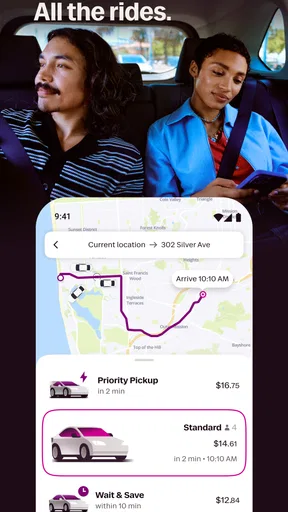
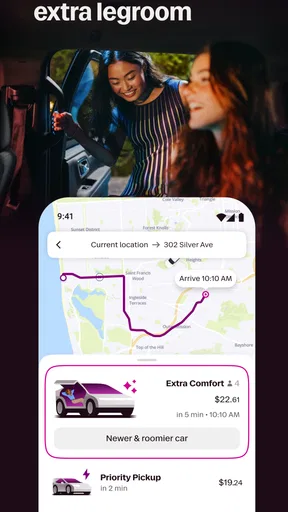
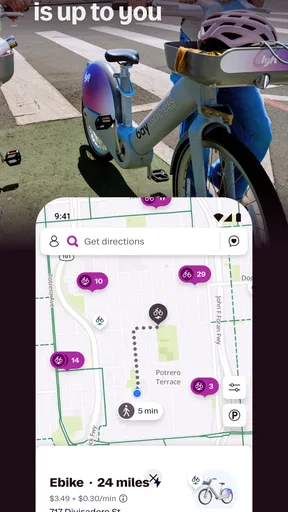
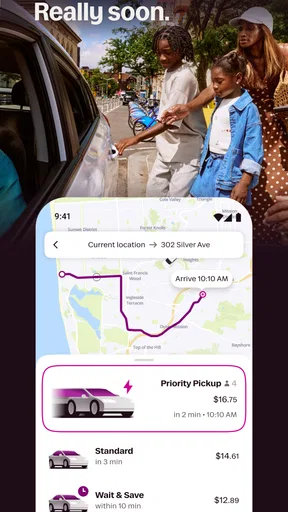
 Analysis by AppCompare
I find ride-hailing apps most useful when a trip needs to happen without much planning: getting home after dinner, crossing town with a tight schedule, or avoiding the hassle of parking. Lyft is built around that simple job, but the experience still depends on practical details such as your pickup point, local driver availability, and whether the quoted fare suits your budget. I’d treat it as a convenient option, not a guarantee that every ride will be quick or inexpensive.
Where a ride request can get stuck
The most frustrating moments usually happen before the car moves. A pin placed on the wrong side of a large building, a busy curb, or a pickup area with several entrances can make it harder for a driver to find you. I try to check the map carefully and choose a safe, easy-to-identify meeting point rather than assuming the nearest-looking spot is obvious from the street.
Demand can also affect the wait and the price. If the estimate feels high or the pickup time is longer than you can accept, pause before confirming and consider whether walking to a clearer pickup point or waiting a little would help. That is a practical trade-off, not a promise that either choice will change availability or cost.
Guides and Analysis on Lyft
Small setup checks that save time
Lyft is a free Maps & Navigation app from Lyft, Inc. It has a 4.2 average from around 536,000 ratings, and more than 50 million installs. It is rated for Everyone, so it is broadly accessible, though using a ride service still calls for ordinary care and attention from the person requesting a trip.
When getting started, I would make sure the phone number entered is one you can access, since the account setup described in the app uses a verification code. Before requesting a ride, check that the pickup pin is where you intend to meet the driver and that the destination is correct. These quick checks are more useful than rushing through the request and trying to fix a mistaken location after a driver is already on the way.
The app’s current version is 2025.48.3.1765351207, and it requires Android 9 or later on Android devices. If the app is not opening or responding normally, I’d first check that the device meets that requirement, then try closing and reopening the app and checking the internet connection. Those basic steps can help distinguish an app hiccup from a wider connection problem.
Making the ride request work for your day
For an everyday trip, I think it helps to decide what matters most before opening the app: arrival time, room for passengers, or keeping the fare manageable. That makes it easier to assess the choices shown rather than selecting the first one by habit. It also keeps the ride request focused on the actual need, whether that is a solo commute or a trip with other people.
Worth Reading Before You Choose

ESPN’s Live Game View Makes Following Close Games Easier

QuizzLand Review: A Good Fit for Short Trivia Breaks, Not Every Player

Basketball Stars: Multiplayer Is Fast, but Can It Recover When Matches Go Wrong?

WEBTOON Turns Phone Updates Into a Better Reading Routine

Link to Windows Runs on Shared Habits, Not Social Feeds

How Alibaba.com Dominates the B2B Marketplace
Recovering when plans change
If the pickup or destination looks wrong, stop and review the details before continuing. When a request is already in progress, use the options available in the app to handle the situation rather than relying on assumptions about what the driver can see. If the app appears stuck, avoid repeatedly submitting the same request; check whether the first action went through, then retry only when you understand its status. That simple pause can prevent confusion and duplicate requests.
For a late trip, sharing the ride status with someone you trust can add a useful layer of reassurance. I see it as a communication aid, not a substitute for staying alert or making sensible choices about where to wait and when to travel. The emergency assistance button is another option the app includes, but I would not treat any in-app safety feature as a reason to ignore immediate surroundings or contact local emergency services when urgent help is needed.
When another option makes more sense
Lyft is best suited to people who value a direct, app-based way to request a ride and are comfortable checking the fare and pickup details before committing. It may be less appealing if you need a guaranteed arrival time, are trying to minimize every travel cost, or are in a place where drivers are hard to find. For a short, predictable trip, walking or public transit may be simpler; for a journey that needs careful advance coordination, another transport arrangement may be a better fit.
Compared with the usual alternatives in ride-hailing, the basic decision is often not about a dramatic difference in the idea of the service, but about which option has a suitable pickup, wait, and price at that moment. I would compare what is shown before confirming rather than assuming one app is always cheaper or faster. If you are traveling with a group, the larger ride option mentioned in the app may be worth considering, while a shared ride can involve a different balance between saving money and sharing the trip.
Everyday situations and useful trade-offs
Picture leaving work as rain starts, with a bag in one hand and a train connection that is no longer practical. I would open Lyft, set a pickup point away from the most crowded doorway, enter the destination, and review the fare and wait before deciding. If the estimate is uncomfortable, I could compare it with a nearby transit stop or wait out the rush instead of treating the first result as the only possible plan.
For a night out, I’d check the destination and pickup location before stepping outside, then share the trip status with a friend if that feels appropriate. For a group heading home together, the key question is whether everyone fits comfortably in the selected ride; choosing an option for extra space may be more sensible than trying to squeeze the fare down at the expense of comfort. These small decisions make the app more useful than simply tapping through the booking screen.
What the app can and cannot solve
A ride app can help connect a passenger with a nearby driver, but it cannot remove traffic, make a busy venue’s exits easier to navigate, or ensure a driver is available at every moment. A longer wait may reflect local conditions rather than a broken app. Likewise, a fare that changes around a busy period is a reason to reassess the plan, not necessarily a sign that the request failed.
If location details seem inconsistent, I would verify the selected pickup on the map and check the phone’s connection before changing several settings at once. If the screen does not update, reopening the app is a reasonable first step; if the issue continues, it may be better to wait and try again when the connection is stable. Keeping troubleshooting simple makes it easier to tell whether the problem is the app, the device, or the circumstances around the pickup.
Why Lyft Stands Out
First off, the Lyft app is super user-friendly. From the moment I downloaded it, I was impressed by how smooth the whole setup was. You just pop in your phone number, get a verification code, and boom, you’re in! The interface is clean, colorful, and straightforward, which makes booking a ride as easy as pie.
Now, I’m all about options, and this app delivers. Whether you’re looking for a quick solo ride or you’ve got a group of friends tagging along, Lyft has you covered. They offer multiple ride types, like Lyft XL for extra space or Shared rides if you’re feeling social and want to save a few bucks. It’s pretty cool to have all these choices at your fingertips.
Features That Keep You Coming Back
Let’s talk about the in-app features that really make Lyft shine. One of my personal favorites is the estimated fare feature. No more surprises when you get to your destination – you can see the cost upfront. Plus, it’s great for budget planning, especially if you’re like me and trying to keep an eye on spending.
And if you’re all about safety, Lyft has your back. The app includes a feature where you can share your ride status with friends or family. It’s a nice little peace-of-mind addition, especially for those late-night rides. Plus, they’ve got an emergency assistance button, just in case. It’s clear they’ve thought about user safety, which is a huge plus in my book.
Room for Improvement?
While Lyft is a stellar app, it’s not without a few bumps in the road. There are times when surge pricing can catch you off guard, especially during peak hours or big events. It’s a bit of a bummer, but hey, it’s the name of the game with ride-sharing apps.
Another thing to note is the occasional wait time. Depending on your location, you might find yourself tapping your foot a bit longer than expected. But honestly, these are minor hiccups in an otherwise smooth ride experience.
Final Thoughts
All in all, I’ve had a blast using Lyft. It’s convenient, reliable, and packed with features that cater to different needs. Whether you’re commuting to work, heading out for a night on the town, or just exploring new places, this app is a solid companion. So, if you’re looking for a ride that’s as easy as pie, give Lyft a spin. You might just find it’s the perfect match for your travel needs. Happy riding!
Pros
- User-friendly interface with intuitive navigation.
- Wide availability in many urban areas.
- Real-time tracking for accurate arrival estimates.
- Multiple ride options to suit different budgets.
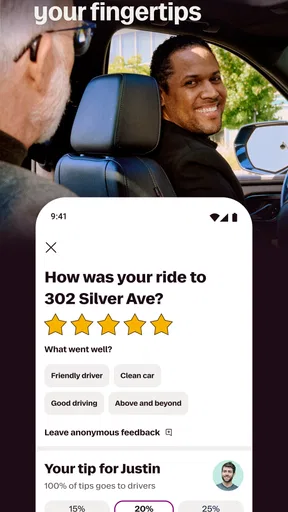
- In-app tipping and rating system for feedback.
Cons
- Surge pricing can increase fare costs.
- Limited availability in rural areas.
- Occasional driver cancellations.
- App requires constant GPS access.
- Service quality varies by location.
FAQs for Lyft
What is Lyft and how does it work?
Lyft is a popular ridesharing app that connects passengers with drivers. Users can request a ride through the app, and a nearby driver will pick them up and take them to their destination. The app uses GPS to track the ride, and payments are handled directly through the app for convenience and security.
Are Lyft drivers safe and reliable?
Lyft places a strong emphasis on safety and reliability. All drivers undergo background checks and vehicle inspections. Additionally, the app provides features like real-time ride tracking, in-app emergency assistance, and the ability to share ride details with friends and family for added security.
How does Lyft pricing work and are there any additional fees?
Lyft pricing is based on factors such as distance, time, and demand. Users receive an upfront fare estimate before confirming a ride. Additional fees may apply during peak times, known as ‘Prime Time,’ or for special services like larger vehicles or luxury rides. Tipping drivers is optional and can be done through the app.
Can I schedule rides in advance with Lyft?
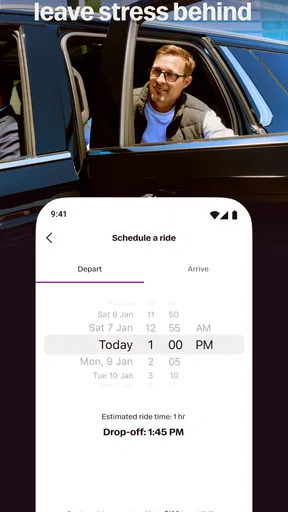
Yes, Lyft allows users to schedule rides up to seven days in advance. This feature is particularly useful for planning early morning trips or ensuring a ride during busy periods. Scheduled rides are booked using the same app interface, providing an estimated fare and driver details once the ride is confirmed.
What are Lyft’s cancellation and refund policies?
Lyft's cancellation policy allows users to cancel a ride without charge within a short window after booking. If canceled outside this period, a cancellation fee may apply. Refunds are generally issued for service issues, and users can contact Lyft support through the app for assistance with disputes or problems during a ride.


